
Link Tracking
Link tracking lets each channel create short links for campaigns, panels, commands, and social posts. A tracked link uses your chosen slug, for example https://l.synchra.net/my-link.
Creating Links
Section titled “Creating Links”Go to the Synchra Dashboard, open your channel, and select Links.
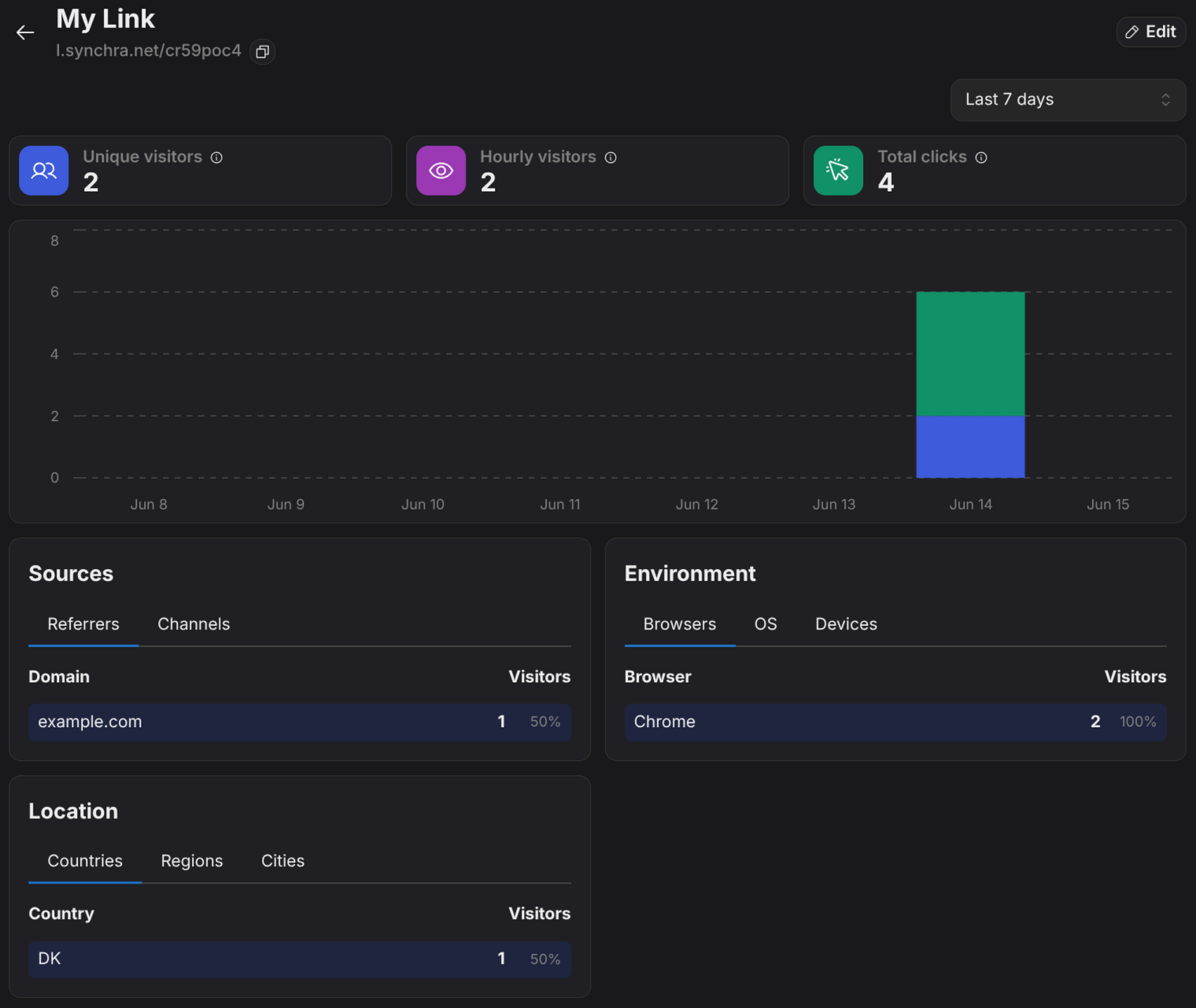
Tracking Data
Section titled “Tracking Data”Synchra records a click when someone opens the tracked URL and ignores obvious bot user agents.
Each click is grouped into three metrics:
- Total clicks: every time the link is opened.
- Hourly visitors: the same visitor counted once per hour.
- Unique visitors: each visitor counted once.
How a Unique Visitor Is Determined
Section titled “How a Unique Visitor Is Determined”When someone opens a link, Synchra builds an anonymous visitor ID by combining the link, the visitor’s IP address, and their browser and device, then hashing it together with a rotating salt. The same person opening the same link counts as one unique visitor.
This is done without cookies, and the ID is one-way: it can’t be reversed to recover the IP address or identify the person. The rotating salt also means the ID changes periodically (monthly by default), so visitors are not tracked persistently over time.