Subathon & Streamathon Timer
Run a live countdown for Twitch, YouTube, Kick and more. Add the timer to OBS and let subs, gifts, memberships, tips and donations extend your stream automatically.

Automatically add time for viewer support
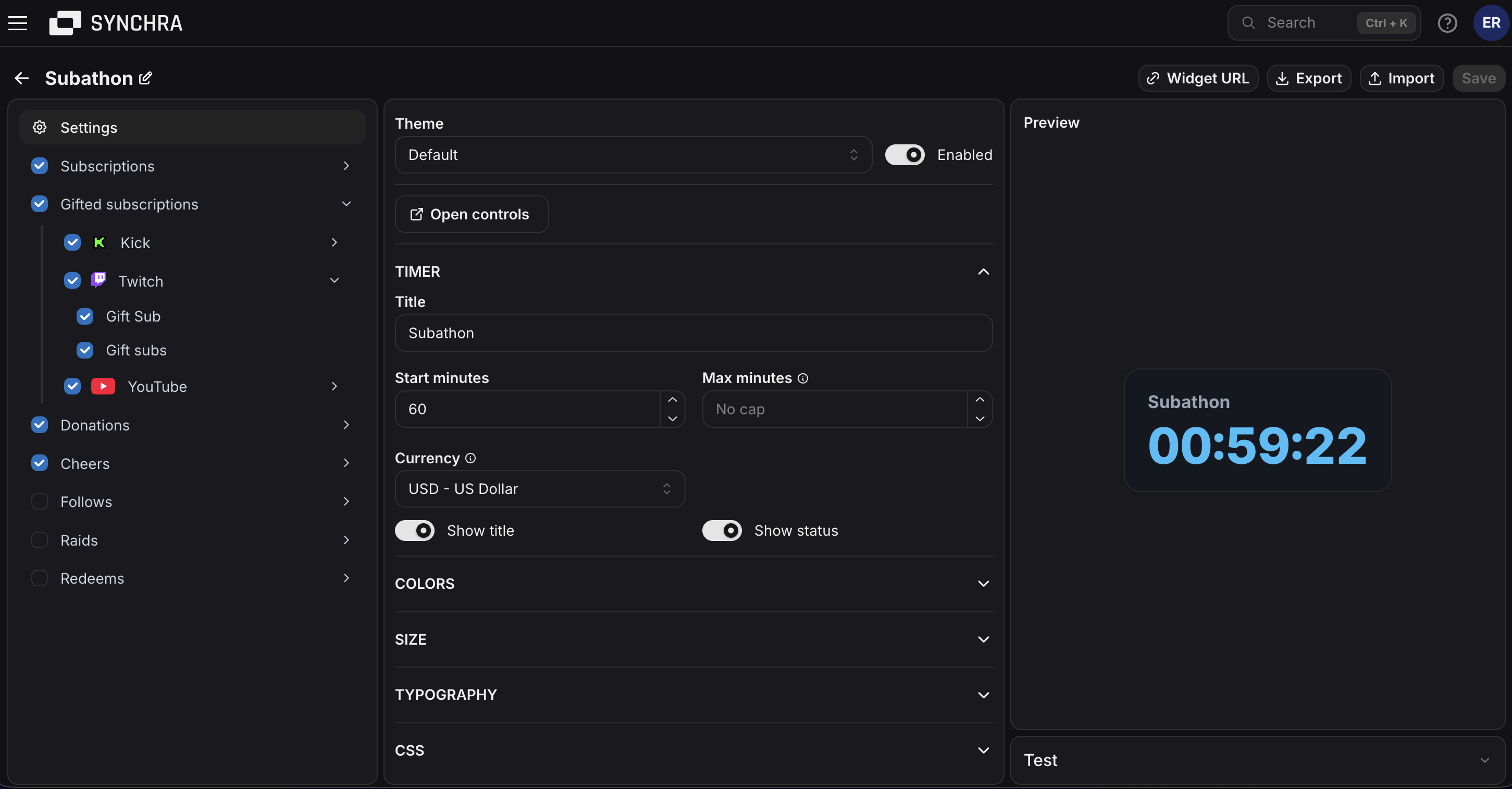
Choose which events add time to the timer, then set how many seconds each sub, gift, tip, donation or reward is worth.
Subs, resubs and memberships
Add time for Twitch subs and resubs, YouTube members, Kick subs, Ko-fi subscriptions, Fourthwall memberships and Patreon memberships.
Gifted subs and gifts
Reward bigger support by adding time for gifted subs, gifted memberships, TikTok gifts and YouTube gifts.
Bits, channel points and rewards
Let Twitch bits, channel point redeems and reward redemptions add time to the timer.
Tips and donations
Add time from StreamElements tips, Streamlabs donations, Ko-fi donations, Fourthwall support and other supported donation events.
Control the timer while you are live
Keep the OBS widget clean for viewers and use Synchra controls to manage the timer behind the scenes.
Start, pause and resume
Open the Streamathon controls when you go live, then start, pause or resume the timer whenever the stream needs it.
Add or remove time manually
Add seconds or remove seconds yourself when you need to fix the timer or make a manual adjustment on stream.
Restart or reset the timer
Restart the countdown with the current setup or reset it when you are preparing for another stream.
Set a maximum end time
Use an optional end time when you want a hard limit so viewer activity cannot push the stream past a specific date and time.
Choose what viewers see
Show or hide the timer title and status text, such as paused or ended, so the widget stays clean in your overlay.
Style it for your overlay
Change colors, font, size, padding, border, rounded corners and custom CSS so the timer matches your stream.
FAQ
What is a subathon timer?
A subathon timer is a live countdown that extends when viewers support a stream. Synchra provides the timer as an OBS browser source for subathons, streamathons, donation marathons and membership marathons.
Can subs and donations add time automatically?
Yes. You choose which events add time and how many seconds each one adds.
Which platforms work with the subathon timer?
The Synchra subathon timer can use activity from Twitch, YouTube, Kick, TikTok, Rumble, X, Streamlabs, StreamElements, Ko-fi, Fourthwall, and Patreon when those integrations are connected.
Does Synchra support currency conversion?
Yes. If tips, donations or paid chat events come in with different currencies, Synchra converts them into the widget currency before adding time.
Can I control the timer while live?
Yes. You can start, pause, resume, restart, reset, add time and remove time from the Streamathon controls.
Can I set a maximum end time?
Yes. Set an optional end time if you want the timer to stop accepting added time past a specific date and time.
Can I customize how the timer looks?
Yes. You can change colors, font, size, padding, border, rounded corners and custom CSS.
How do I add the Streamathon Widget to OBS?
Create a Streamathon widget in Synchra, copy the widget URL and add it to OBS as a browser source.
Add your subathon timer to OBS
Create the widget, copy the URL into OBS, open the controls and start the countdown when your stream is ready.
Create your timer