Goal Widget for OBS donation, sub and follower goals
Show a live progress bar on stream for the goals your viewers understand: donation goals, sub goals, follower goals, bit goals or one mixed goal that counts several kinds of support.

One progress bar for the goal you are running
Use Synchra for the goal types viewers already know, then decide exactly what should move the bar.
Donation goals
Fill a progress bar with StreamElements tips, Streamlabs donations, Ko-fi and Fourthwall support, YouTube Super Chats and other money-based events.
Sub and member goals
Count Twitch subs and resubs, YouTube members, Kick subs, Ko-fi subscriptions, Fourthwall memberships and Patreon memberships toward the same target.
Follower goals
Show a live follower goal for Twitch, Kick, TikTok and other connected platforms that send follow events.
Mixed stream goals
Use one goal for several kinds of support, such as subs, donations, bits, gifts, memberships and reward redemptions.
Control what counts and how it looks
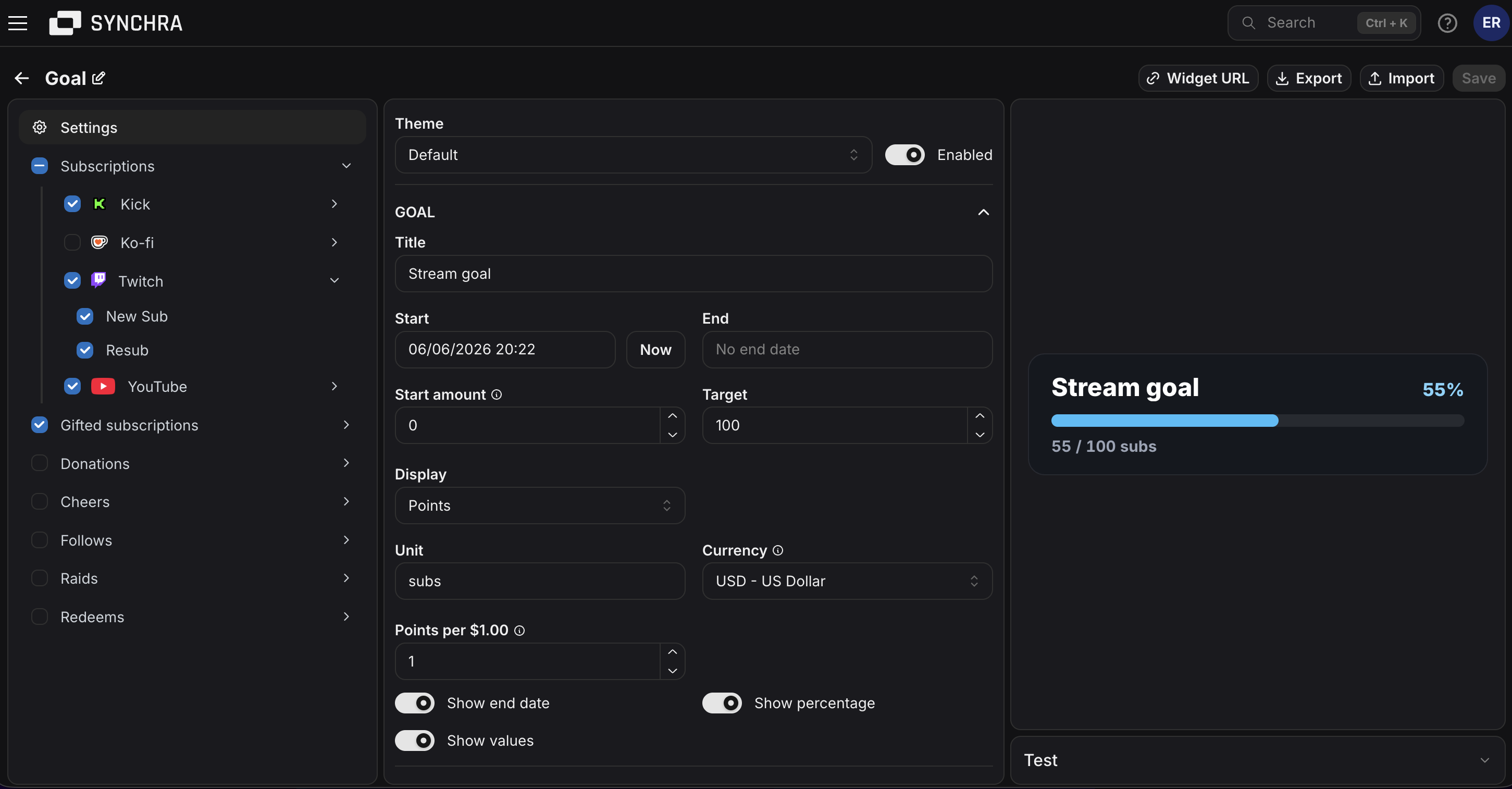
Set the target, choose the events that count and style the OBS progress bar so it fits your stream overlay.
Choose what fills the bar
Turn each event on or off, so the goal only counts the follows, subs, gifts, donations, tips, bits or rewards you care about.
Set how much each event counts
Decide how much a sub, gift, tip, donation, bit, point redeem or membership adds to the goal.
Show points or money
Use a simple points goal or show money in the currency you choose. Synchra can convert supported currencies into that currency.
Start from the right number
Set a starting amount, target amount, start date and optional end date for goals that already have progress before the stream begins.
Control what viewers see
Show or hide the current amount, goal amount and end date so the widget fits the way you talk about the goal on stream.
Style it for your overlay
Change colors, font, bar height, size, padding, border, rounded corners and custom CSS for a goal bar that matches your stream.
FAQ
What is the Synchra Goal Widget?
The Goal Widget is an OBS browser source that shows a live progress bar for stream goals like donations, subs, followers, bits, memberships or mixed goals.
Which platforms can count toward a goal?
Synchra goals can use activity from Twitch, YouTube, Kick, TikTok, Rumble, X, Streamlabs, StreamElements, Ko-fi, Fourthwall, and Patreon when those integrations are connected.
Can one goal count different kinds of support?
Yes. You can make one mixed goal where follows, subs, gifts, donations, bits, tips, memberships or rewards all add progress.
Can I make a donation goal in a specific currency?
Yes. Pick the currency you want to display. Supported money events in other currencies are converted into the currency you choose.
Does Synchra support currency conversion?
Yes. If tips, donations or paid chat events come in with different currencies, Synchra converts them into the currency selected for the goal.
Can I set a start amount?
Yes. Set a starting amount when a goal already has progress before you add it to OBS.
Can I customize how the goal looks?
Yes. You can change colors, font, size, bar height, padding, border, rounded corners and custom CSS.
How do I add the Goal Widget to OBS?
Create a Goal widget in Synchra, copy the widget URL and add it to OBS as a browser source.
Add a live goal bar to your next stream
Create the widget, copy the URL into OBS and let Synchra update the progress bar while you stream.
Create a goal widget