Synchra Multi-chat
Unify all your chats in one easy-to-use chat
Not just every chat message from every platform, see all the emotes, moderator actions, polls, predictions, pinned messages, shoutouts, use slash commands you're already used to and so much more.
Keep up with chat without juggling tabs
Chat and moderation in one place
Reply wherever the platform allows it, check viewer details and handle moderation without hunting through separate chat windows.
The emotes your chat actually uses
Shows platform, 7TV, BTTV and FFZ emotes, badges and user roles. Hide any badge type with a click.
Put the same chat on stream
Add the chat widget to OBS as a browser source, then style it to fit your stream. The setup guide walks you through it.
Put your combined chat on stream
Add the chat widget to OBS and choose a theme that fits your overlay.

Tune chat to your liking
Cut the noise with filters and make the chat window yours with per-panel settings.
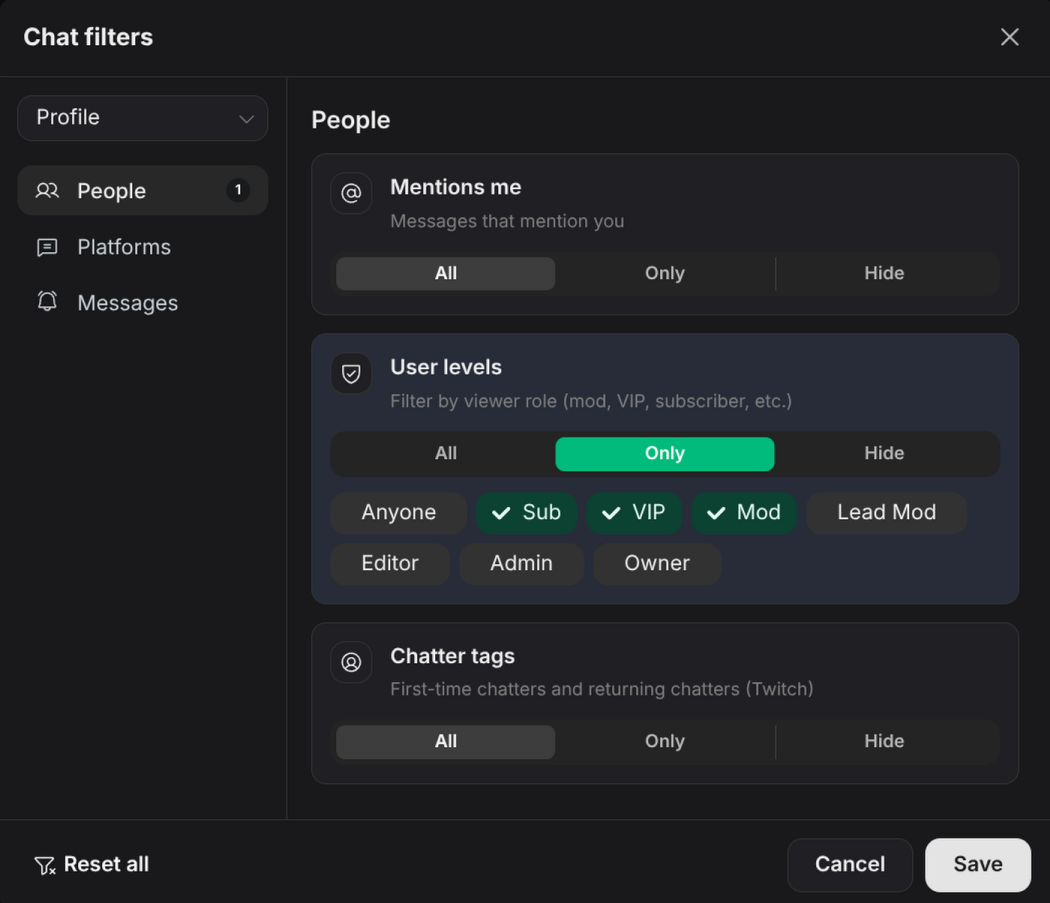
Filters
Hide what you do not need to see and save filter profiles you can switch between per panel.
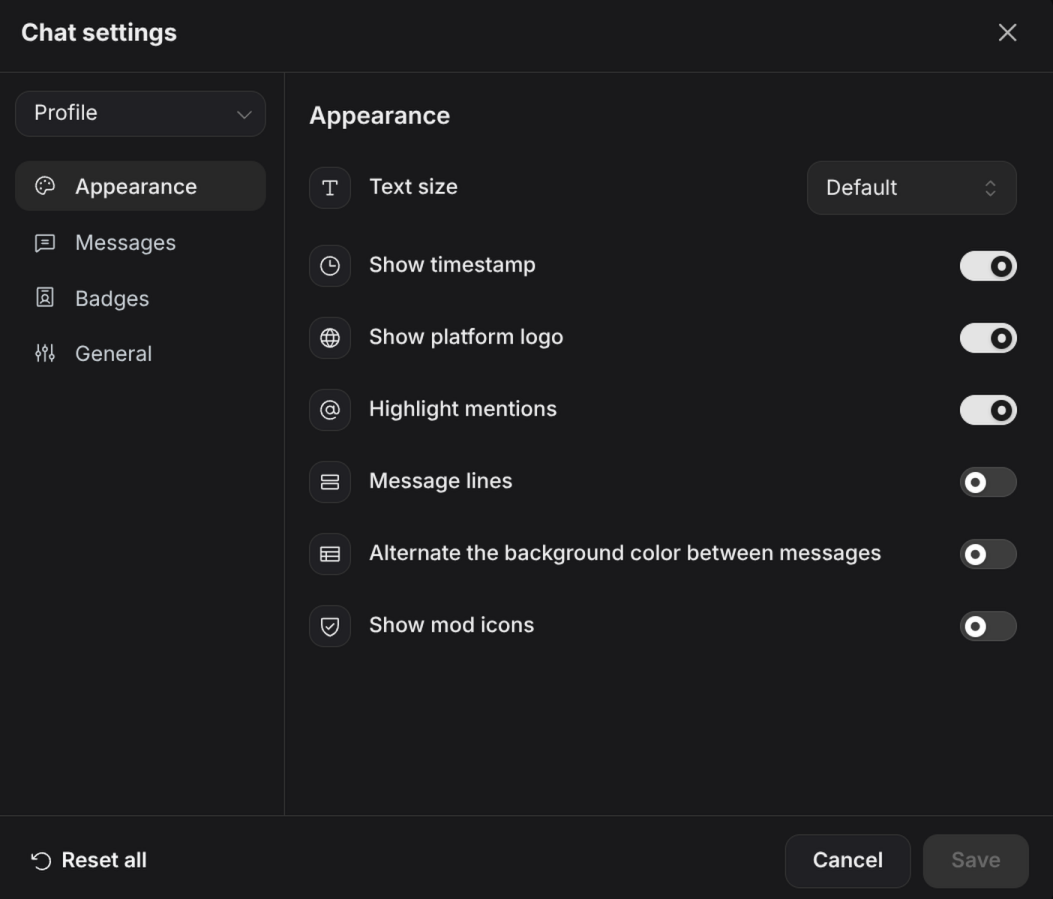
Settings
Adjust how messages, badges and platform logos appear so the window reads the way you want. Don't like a badge? Click on it to hide.
FAQ
Which chat platforms does Synchra support?
Synchra chat supports Twitch, YouTube, Kick, TikTok, Rumble, and Owncast.
Can I see viewer counts for each platform?
Yes. Synchra shows the viewer count for each connected platform. You can toggle viewer counts on or off with a click.
Does Synchra show more than chat messages?
Yes. Synchra brings the fun and useful parts of each chat into one place, including polls, predictions, pinned messages, shoutouts, platform and third-party emotes, Twitch GIFs and more.
Can I reply from Synchra?
Yes, for chats that allow it.
Does it show 7TV, BTTV and FFZ emotes?
Yes. Synchra has native support for 7TV, BTTV and FFZ emotes, shown alongside platform emotes so chat reads the same as it does on each native site.
Do I need to install anything?
No. Synchra is browser-based, so there is nothing to download or set up locally, and the bot keeps running 24/7 in the cloud even when your dashboard is closed.
Are there any TikTok limitations?
TikTok chat is read-only, but you still get gifts, follows, shares, likes and Super Fan activity.
What can I filter out of chat?
Filter by platform, message type (chat, notices, status and AutoMod), keywords, links, replies, deleted messages, messages that mention you, user roles like mod, VIP or subscriber.
How much of the chat look can I change?
Set text size, message lines, timestamps, platform logos, mod icons, mention highlighting and alternating row colors. Show or hide badges, and hide a specific badge type by clicking it in chat.
Can moderators use it?
Yes. Moderators can filter chat, view user details and take supported moderation actions without leaving Synchra.
Can I show the same chat on stream?
Yes. Add the OBS chat widget as a browser source to show your combined chat on stream.
Will this replace my other chat windows?
For day-to-day stream chat, that is the goal. Some actions still depend on what each platform allows.
Try one unified chat your next stream
Connect your channels, open chat and see how much easier it is when the conversation is not scattered across windows.
Setup your Multi-chat